Canva or Piktochart: Battle of the best
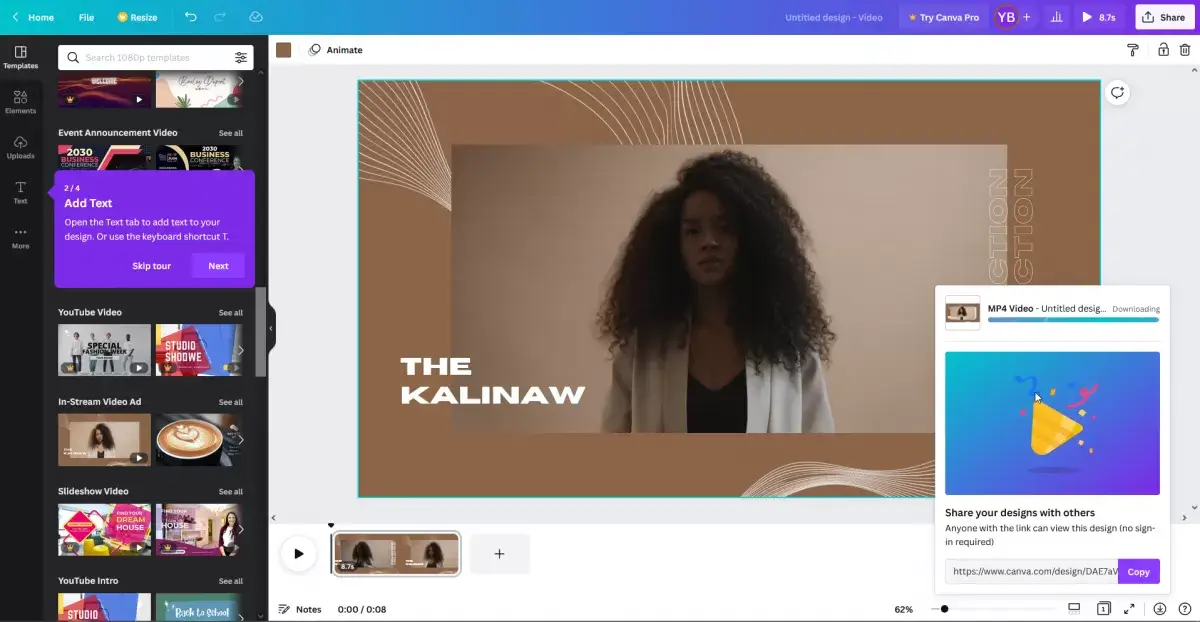
The demand for free online sites and applications for photo or video editing is now at an all-time high. Students, teachers, professionals, and even freelancers are looking for the perfect tool where they can showcase their graphic design talents that will not break their banks. Since everyone is mainly on the internet nowadays and cheaper laptops such as Chrome Books are slowly taking up the market, an online application is considered because it will not demand high graphic specifications and no installation is needed. You only need a browser to create a project. Not to mention, you can access these applications just by using your smartphone or your table. How convenient is that?
Today, we will be checking out two of the leading visual story creator and graphic platform on the web – Piktochart and Canva. Both are online applications and are built for the same purpose, but some features differ from one another, however some are similar, such as the ability to screen record for free.
PikToChart
Let’s start with Piktochart – a powerful and easy-to-use online tool that allows anyone to create infographics, flyers, slides, reports, or posters (read our full PikToChart review). Once you register with Piktochart, you can use it right away in your browser and start working on projects for print or digital use. Piktochart offers a free plan, and its paid plans have been updated: Piktochart Pro is USD 10 per member/month billed annually (or USD 15 per member/month billed monthly). Piktochart has also expanded its AI capabilities, including AI-assisted infographic creation, with the free plan including monthly AI credits. You can start from a template or from scratch, then customize with shapes, fonts, and graphics from the left-side toolbar.
Quick pricing snapshot (Piktochart): Pro is USD 10 per member/month billed annually (USD 15 billed monthly). The free plan also includes monthly AI credits for AI-assisted visual creation. Canva
Canva on the other hand is an extremely powerful tool, too, which has all the basic features of Piktochart. It is also a free graphic design platform. You can upload your pictures for your reference when you’re using the tool. You can also use its massive library for graphic materials. It also features a toolbox on the left part of the tool which houses all the things you need to start your art. Canva is home to professionally designed templates, too. Their design templates include Zoom backgrounds, collages, bookmarks, menus, invitations, resumes, or infographic business cards. Canva is like having a very light version of Photoshop. The big difference is that this is free, does not require extensive knowledge of tool navigation, as well as the demand for high computer specifications is not an option before you can start with your projects. Canva also has a photo editing feature that you can use without going out of your browser. Canva has a mobile app that can be installed on your smartphones such as Android or IOS.
In conclusion: PikToChart or Canva?
Both Piktochart and Canva can be used using a free license, but there is also a paid license that unlocks its features that are not available for basic users.
Now that we have talked about what you can do with both, let’s talk about limitations. For Canva, you can still run into gaps in the built-in library (for example, the exact stock photo or element you want might not be available), and some users find alignment/layout precision less flexible than in full desktop design tools. For Piktochart, the main differences come down to plan limits and workflow preference: the free plan is usable for getting started, and Piktochart has added AI-assisted creation (including an AI infographic generator), but advanced features and higher-tier usage are tied to paid plans. If pricing is a deciding factor, note that Piktochart Pro currently starts at USD 10 per member/month billed annually (USD 15 billed monthly), so it may be more affordable than many people expect.
When it comes to usability, both tools are very excellent applications. There are some limitations, especially to free users that won't be able to edit videos without watermarks but they won’t stop you from creating the best designs for your project.
Which one do you think will be useful for you? Canva or Piktochart?
Frequently Asked Questions
- What is the best application for working with the color palette?
- If you have a choice between Piktochart and Canva, then you should pay attention to the latter. Since one of the disadvantages of Piktochart is that you have to pay for their upgraded version if you want to customize your color palettes.