
Skip to content
YB Digital: WWW Publisher Of The Year Runner-Up 2021

YB.Digital

  • Home
  • Articles
  • Web
  • Office productivity
  • Salesforce
  • Google
  • Social network
Can't share Instagram story to Facebook
Various

Can’t share Instagram story to Facebook

ybierling November 23, 2018November 21, 2018 can't share Instagram story to Facebook, Facebook business page story, Facebook story, Instagram Facebook share story disappeared, Instagram not posting to Facebook 2018, Instagram share to Facebook doesn't work 2017, Instagram stories to Facebook not working, instagram story, Instagram story to Facebook business page, Instagram won't share to Facebook 2018, Instagram won't share to Facebook story, no option to share Instagram story to Facebook, share your story to Facebook missing, share your story to Facebook not showing

Instagram stories to Facebook not working

When sharing a story on Instagram, the share to Facebook option has disappeared? Do not panic, see below how to get it back in a few simple steps.

In short, go to Settings > Linked Accounts > Facebook > log in, and reconnect to the Facebook account.

This usually happens after Instagram has lost connection with Facebook, for example in the case of a password change, a switch from an account to another on the same Instagram app, a change of connection or country, and in general a need to reconnect to the Facebook account.

Where Can I FLY? Instagram page

Can't share Instagram story to Facebook : Share story to Facebook button not showing
Share story to Facebook button not showing

Starting from Instagram, open the settings, which are accessible from Instagram account detail screen by tapping the top right icon, which contains three parallel lines.

Can't share Instagram story to Facebook : Instagram settings
Instagram settings

Instagram not posting to Facebook 2018

Here, the account settings offers all possible menus, including the one that matters to reconnect the Facebook account: linked accounts menu – tap on it to enter.

Can't share Instagram story to Facebook : Linked accounts menu
Linked accounts menu

Now, all external sharing accounts used by the Instagram account are listed. At the moment, the possible services that can be used are Facebook, Twitter, Tumblr, Ameba, and OK.ru.

Even if the right account is shown here, it might be that it has been disconnected from the Instagram account. This can happen in several cases, the most common one, when administering more than one account on the same phone, being switching between accounts.

There is actually no way to get the connection back by default when switching accounts, and it happens, especially for Facebook business page sharing, that it must be reconnected after every account switch.

Tap on the Facebook account to reconnect it.

Where Can I FLY? Facebook page

Can't share Instagram story to Facebook : Facebook linked account menu
Facebook linked account menu

No option to share Instagram story to Facebook

Even if the Facebook account name was shown on the previous screen, we can see here that it has been disconnected from the Instagram account, as the option to login is offered to change where it is possible to share.

Can't share Instagram story to Facebook : Log in to Facebook to share story on business page
Log in to Facebook to share story on business page

Simply tap on the log in option, and in most cases, after some exchange between Instagram and Facebook, which are materialized by a loading animation, the Facebook page name will appear again.

There is likely no need to even enter the Facebook password again, nor to select the page to use, but simply to tap on the log in link, and wait for the re-connection.

The option to unlink a Facebook account from Instagram is also here.

Can't share Instagram story to Facebook : Facebook business page linked on Instagram
Facebook business page linked on Instagram

Share your story to Facebook not showing

And that’s it! Now, go back to the latest Instagram story that has been posted on the account, and the share to Facebook icon should be back here, displayed as not shared to Facebook yet, as the icon background is transparent.

International SPA and Web consulting on Facebook

Can't share Instagram story to Facebook : Instagram share to Facebook story button back
Instagram share to Facebook story button back

Tap on the Facebook icon, after what a popup share to Facebook story will appear.

Either tap on the button to perform the share to Facebook instantaneously, or tap outside of the box to cancel the action and not share the story.

Can't share Instagram story to Facebook : Share to Facebook story option on Instagram
Share to Facebook story option on Instagram

Instagram Facebook share story disappeared

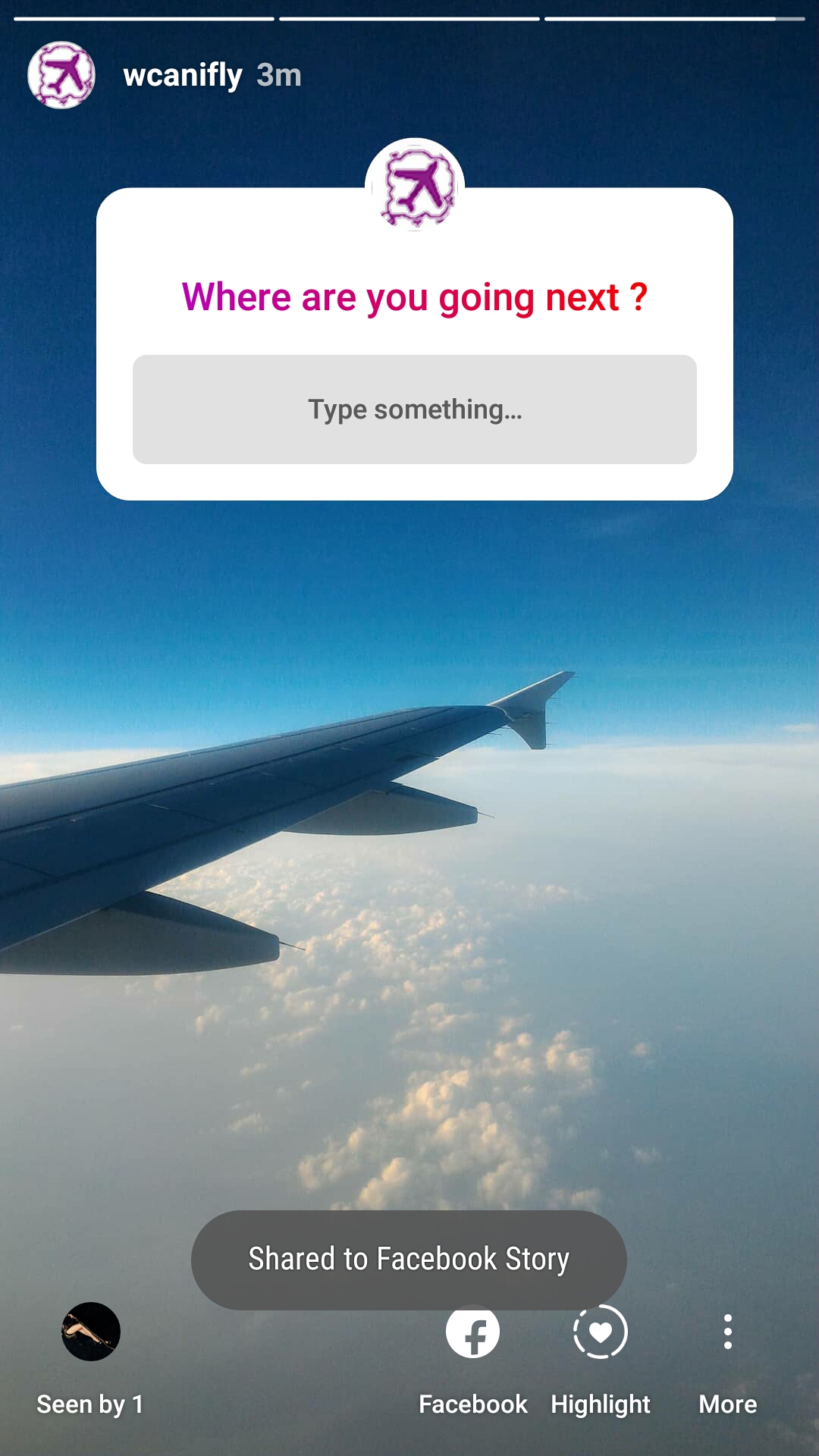
That’s it ! A message box will confirm the share to Facebook, if successful, and the Facebook sharing icon will have switched colors, showing now a white background and a transparent icon.

Can't share Instagram story to Facebook : Instagram story shared to Facebook
Instagram story shared to Facebook

The share to Facebook icon might disappear regularly, and especially when switching accounts, for example going from a business account back to the personal account, and back again to the business account.

Every time the action is performed, it might be necessary to reconnect to the Facebook account in order to be able to share the story.

Instagram won’t share to Facebook story

Pay attention, sometimes, after switching accounts, and sharing a new story on Instagram with a Facebook share, it might be possible that it will end up on the Facebook account story, instead of the connected business page story.

I that case, it is necessary to first go in Settings > Linked Accounts > Facebook > log in, to ensure that the story will be properly shared.

Where Can I FLY? Instagram page

  • Gift ideas for business travelers
  • Google Analytics subdomain filter

Affiliate Disclaimer

Please note that some of the links on our site are affiliate links, which means that if you click on one of the links and purchase an item, we may receive a commission.
JavaScript, DevOps, JAVA, and .NET developers ready to work remotely on your projects immediately!
Trainings and certifications for your IT projects: SAP, office, project management, and more skills

Recent Posts

  • Marketing Your Dropshipping Store on a Limited Budget
  • Scaling Your Dropshipping Business After the First Sales
  • Understanding the Legal Aspects of Dropshipping
  • How to Conduct Supplier Due Diligence for Dropshipping
  • Leveraging Email Marketing to Retain Dropshipping Customers

Useful links

Website optimization
Hotel booking

Hotel booking
Hotel booking

Flight, hotel, car comparison and booking

Find local activities

Transfer money
Transfer money

Archives

  • December 2025 (4)
  • November 2025 (30)
  • October 2025 (6)
  • September 2025 (2)
  • August 2025 (2)
  • April 2025 (1)
  • March 2025 (1)
  • February 2025 (1)
  • September 2024 (1)
  • July 2024 (2)
  • June 2024 (1)
  • April 2024 (1)
  • March 2024 (9)
  • February 2024 (3)
  • October 2023 (1)
  • September 2023 (1)
  • April 2023 (1)
  • March 2021 (1)
  • April 2020 (16)
  • March 2020 (9)
  • February 2020 (20)
  • January 2020 (11)
  • December 2019 (4)
  • November 2019 (20)
  • October 2019 (23)
  • September 2019 (15)
  • August 2019 (5)
  • June 2019 (3)
  • May 2019 (23)
  • April 2019 (17)
  • March 2019 (16)
  • February 2019 (20)
  • January 2019 (16)
  • December 2018 (21)
  • November 2018 (18)
  • October 2018 (2)
  • September 2018 (13)
  • August 2018 (4)
  • July 2018 (2)
  • June 2018 (3)
  • May 2018 (3)
  • April 2018 (1)
  • March 2018 (1)
  • February 2018 (1)
  • January 2018 (2)
  • September 2017 (2)
  • August 2017 (7)
  • July 2017 (10)
  • June 2017 (2)
  • April 2017 (8)
  • March 2017 (7)
  • February 2017 (5)
  • January 2017 (8)
  • December 2016 (26)
  • November 2016 (14)
  • October 2016 (10)
  • September 2016 (8)
  • August 2016 (3)
  • July 2016 (2)
  • June 2016 (1)
  • December 2015 (1)
  • August 2015 (5)
  • July 2015 (1)
  • April 2015 (1)
  • March 2015 (1)
  • October 2013 (1)
  • July 2013 (2)
  • April 2013 (1)
  • November 2012 (1)
  • October 2012 (1)
  • September 2012 (1)
  • April 2012 (1)
  • February 2012 (1)
  • December 2011 (1)
  • August 2011 (2)
  • May 2011 (2)
  • April 2011 (4)
  • March 2011 (1)
Copyright © 2025 YB.Digital. All rights reserved.
Theme: ColorMag by ThemeGrill. Powered by WordPress.