
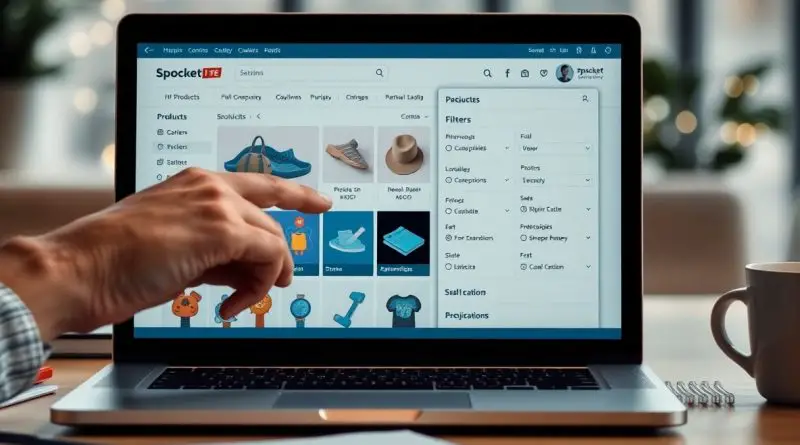
Mastering Product Search and Filtering on Spocket
Just by utilizing Spocket’s powerful tools, you can significantly streamline your product sourcing process. Start by leveraging the search bar with relevant keywords to quickly locate items that suit your business needs. Then, apply the “Filter” function to define specific shipping locations and delivery times (e.g., 1-3 days) for enhanced efficiency. Finally, view your refined results to make informed decisions and capitalize on the best product options available. For further insights, check out the Product Sourcing Directory Guide.
How to Use the Search Bar Effectively
Utilizing the search bar on Spocket can streamline your product discovery process. By inputting relevant keywords, you can quickly find specific items that cater to your niche. This not only saves time but also enhances your overall sourcing efficiency, enabling you to focus on other important aspects of your business.
Understanding Keywords
When using the search bar, selecting the right keywords is fundamental. Think of terms that closely relate to your product interest, employing singular and plural forms. Including specific adjectives can further refine your search results, allowing you to pinpoint the exact products you need.
Advanced Search Techniques
To elevate your product search on Spocket, consider incorporating advanced search techniques. Utilize filters such as shipping locations and delivery times to fine-tune your results. For example, search for products that ship within 1-3 days to ensure prompt delivery and customer satisfaction.
- Combine multiple keywords for more targeted results.
- Experiment with variations of your primary search term.
- Leverage the “Filter” function to narrow down your options based on specific criteria.
| Keyword Combination | “Eco-friendly” + “bamboo” for specific sustainable products |
| Filter by Shipping Location | Choose “United States” to find local suppliers |
| Delivery Time | Set to “1-3 days” for quick fulfillment |
Advanced search techniques can dramatically enhance your user experience on Spocket. By organizing your search with precise filters like shipping locations and delivery times, you gain better control over your product sourcing process. This targeted approach not only saves time but also helps in curating a more desirable selection of products for your store.
- Use boolean operators (AND, OR, NOT) for more complex searches.
- Keep track of your search history for future reference.
- Adjust filter settings based on seasonal trends or sales goals.
| Key Practice | Description |
| Regularly Update Filters | Ensure your criteria align with current market demands. |
| Test Various Keywords | Don’t hesitate to explore different keywords to find hidden gems. |
Tips for Efficient Filtering
Efficiently filtering products on Spocket can elevate your sourcing game. Utilize these key strategies:
- Leverage categories to narrow down your search results.
- Apply the delivery time filter ensuring faster shipping options.
- Select shipping locations to find products closest to your target audience.
- Experiment with keywords to improve search accuracy.
Perceiving these tips can drastically enhance your finding experience.
Utilizing the Filter Function
The filter function is a powerful tool that allows you to refine your search by various criteria. You can specify vital aspects like product type, price range, and supplier ratings. For instance, filtering for suppliers with a rating of at least four stars ensures that you source quality products. Making these selections can lead to more relevant results tailored to your business needs.
Customizing Shipping Locations
Customizing shipping locations is vital in targeting the right customer demographics. By filtering based on certain regions, you can ensure shorter delivery times and lower shipping costs for your customers. This personalization improves customer satisfaction, impacting your store’s reputation positively.
When setting customized shipping locations, consider focusing on areas where you anticipate higher demand. Use the filter to select specific countries or regions, which not only reduces customer wait time but also enhances your market reach. For instance, if you’re selling to the U.S. market, prioritize suppliers who can deliver within 1-3 days. This capability can set you apart from competitors and contribute to greater customer loyalty.

Factors to Consider for Delivery Times
Understanding delivery times is necessary to ensure customer satisfaction and maintain your store’s reputation. When assessing products, consider these factors:
- Shipping methods used by suppliers
- Location of your target audience
- Average shipping speed for various carriers
- Order processing time before shipment
Assure that you select products with delivery windows that align with your customers’ expectations.
Setting Delivery Time Preferences
Customizing your delivery time preferences in Spocket allows you to filter out products that don’t meet your timeframe. You can specify ranges like “1-3 days” or “4-7 days” in the filtering options, ensuring that you only view those that fit your business model. This helps in selecting products that you can confidently promise to your customers without delays.
Analyzing Shipping Options
Evaluating different shipping options is key to optimizing your logistics. Spocket provides insights into various carriers and their associated delivery times. You can compare options to find which ones offer the best balance of speed and cost. Check for any additional fees or conditions that come with certain shipping methods, as these can significantly affect your overall pricing strategy.
Analyzing shipping options further involves taking into account the reliability and reviews of carriers. Viewing past customer feedback on shipping reliability can guide your choices. Additionally, you may consider regional delivery services, as they sometimes provide faster shipping at competitive rates. Balancing speed, cost, and reliability will equip you to meet customer demands effectively while managing your budget efficiently.
Viewing and Analyzing Final Results
Once you’ve filtered your product search, it’s time to assess the final results. Spocket provides you with a concise display of products that meet your criteria. You can analyze details such as price, shipping time, and product ratings. For an in-depth understanding of navigating Spocket, check out How to Use Spocket for Dropshipping Effectively (Detailed …. This analysis is imperative for aligning your offerings with customer expectations.
Interpreting Filtered Outputs
Interpreting the filtered outputs is straightforward—look for products with high ratings and short delivery times. Pay attention to supplier reliability metrics as well. Products that meet your shipping timeframe preferences are highlighted, allowing you to narrow choices that best fit your market.
Making Informed Choices
When making informed choices, focus on selecting products that offer both quality and competitive pricing. Analyzing customer feedback and seller history can enhance your confidence in your selections. Referring to trending items can also guide your decisions beneficially.
To make truly informed choices, investigate deeper into each product’s details. Look beyond the ratings; assess the number of reviews and the recency of feedback. Engaging with the supplier can provide additional insights, such as restocking schedules or potential product expansions. Utilizing these strategies ensures you choose items that not only meet your immediate needs but also have the potential to resonate with your customers in the long term.

Common Mistakes to Avoid
Avoiding common pitfalls can significantly enhance your product search experience on Spocket. Many users rush through the filtering process or make assumptions about what they need. This can lead to suboptimal results and missed opportunities. Knowing what to steer clear of will save you time and improve your efficiency in finding the perfect products for your store.
Overlooking Important Filters
Failing to utilize all relevant filters can result in a narrowed-down selection that doesn’t meet your needs. You should always take advantage of location, shipping times, and price range filters to ensure that you are discovering the best options available. Properly setting these filters helps you avoid wasted time on products that simply don’t fit your criteria.
Misusing Keywords
Your choice of keywords can make or break your product search. Using vague or overly broad terms will likely result in irrelevant results. Instead, focus on specific, descriptive keywords that accurately represent what you’re looking for. For example, instead of searching for “shoes,” consider terms like “red running shoes for women” to yield more precise and relevant options.
Misusing keywords can significantly limit your search results and impede your ability to find ideal products. Avoid generic terms that lack specificity; instead, tailor your keywords to match the type of product, material, or color you are after. If you’re searching for eco-friendly alternatives, include terms like “sustainable” or “biodegradable” in your query. For instance, using “handmade organic cotton tote bags” rather than just “bags” will direct you to more relevant products and enhance your overall sourcing experience.
Enhancing Product Discoverability
To improve your product discoverability on Spocket, leverage effective search techniques and filtering options. Utilizing the search bar with specific keywords related to your niche allows you to quickly identify relevant products. Furthermore, applying additional filters for shipping locations and delivery times can refine your results even more, ensuring that you find exactly what you need without sifting through unwanted options.
Saving Searches for Future Reference
Once you’ve conducted a successful search, you can save it for future reference. This feature allows you to quickly revisit your favorite product combinations without needing to reapply all filters and search terms. With just a few clicks, you ensure that your most lucrative finds are always at your fingertips.
Staying Updated with New Arrivals
To keep your offerings fresh, regularly check for new arrivals on Spocket. By staying informed about the latest products, you can quickly adjust your inventory, responding to market trends and customer demands. This proactive approach significantly enhances your competitive edge in e-commerce.
Spocket often updates its product catalog, making it vital for you to monitor these changes regularly. You can set notifications or check the “New Arrivals” section frequently to ensure you don’t miss out on trending products. Incorporating these new items into your shop can attract customers looking for the latest offerings, ultimately boosting your sales. A systematic approach to staying updated allows you to capitalize on seasonal trends and rapidly changing consumer preferences, maintaining relevance in your niche.
To wrap up
Summing up, mastering product search and filtering on Spocket enhances your sourcing efficiency. By effectively utilizing the search bar with relevant keywords, you can narrow down your options effortlessly. Applying the “Filter” function allows you to specify preferred shipping locations and delivery times, ensuring that the products meet your needs. Finally, reviewing the filtered results helps you make informed decisions quickly. This process ultimately streamlines your experience on Spocket and helps you find the perfect products with ease.
FAQ
Q: How can I effectively search for products on Spocket?
A: Use the search bar at the top of the page and enter specific keywords related to the product you are looking for. The more specific your keywords, the more relevant the results will be.
Q: Can I filter products based on shipping locations?
A: Yes, you can apply the “Filter” function. Select your preferred shipping locations from the filter options to view products available for those regions.
Q: How do I set delivery time preferences when searching for products?
A: After entering your keywords, utilize the filter options to specify delivery times. You can select ranges, such as 1-3 days, to find products that meet your delivery timeline.
Q: What steps should I follow to view my filtered product results?
A: Once you have set your filters for keywords, shipping locations, and delivery times, simply click on the “Apply Filters” button. This will display the final filtered results based on your criteria.
Q: Can I combine multiple filters while searching for products?
A: Yes, you can combine multiple filters such as keywords, shipping locations, and delivery times to narrow down your search for specific product types that meet all your selected criteria.