
Skip to content
YB Digital: WWW Publisher Of The Year Runner-Up 2021

YB.Digital

  • Home
  • Articles
  • Web
  • Office productivity
  • Salesforce
  • Google
  • Social network
How to create a Google Cloud account?
Web-en

How to create a Google Cloud account?

ybierling September 25, 2019September 18, 2019 anonymous Internet access, create Google Cloud account, free Google Cloud account, Google Cloud, Google Cloud free storage, Google Cloud storage, Google Cloud Wordpress cost, online storage

Creating a free Google Cloud account

Creating a free Google Cloud account will directly let you have $300 credit on GCP services and 5GB storage, all you have to do is to create a Google Cloud account using a different email address!

If you have trouble to change language in Google , after having created your account you will be able to easily change language in Google Cloud account to fit your personal preferences. See also how to create a Google Drive new account for your online Cloud storage needs.

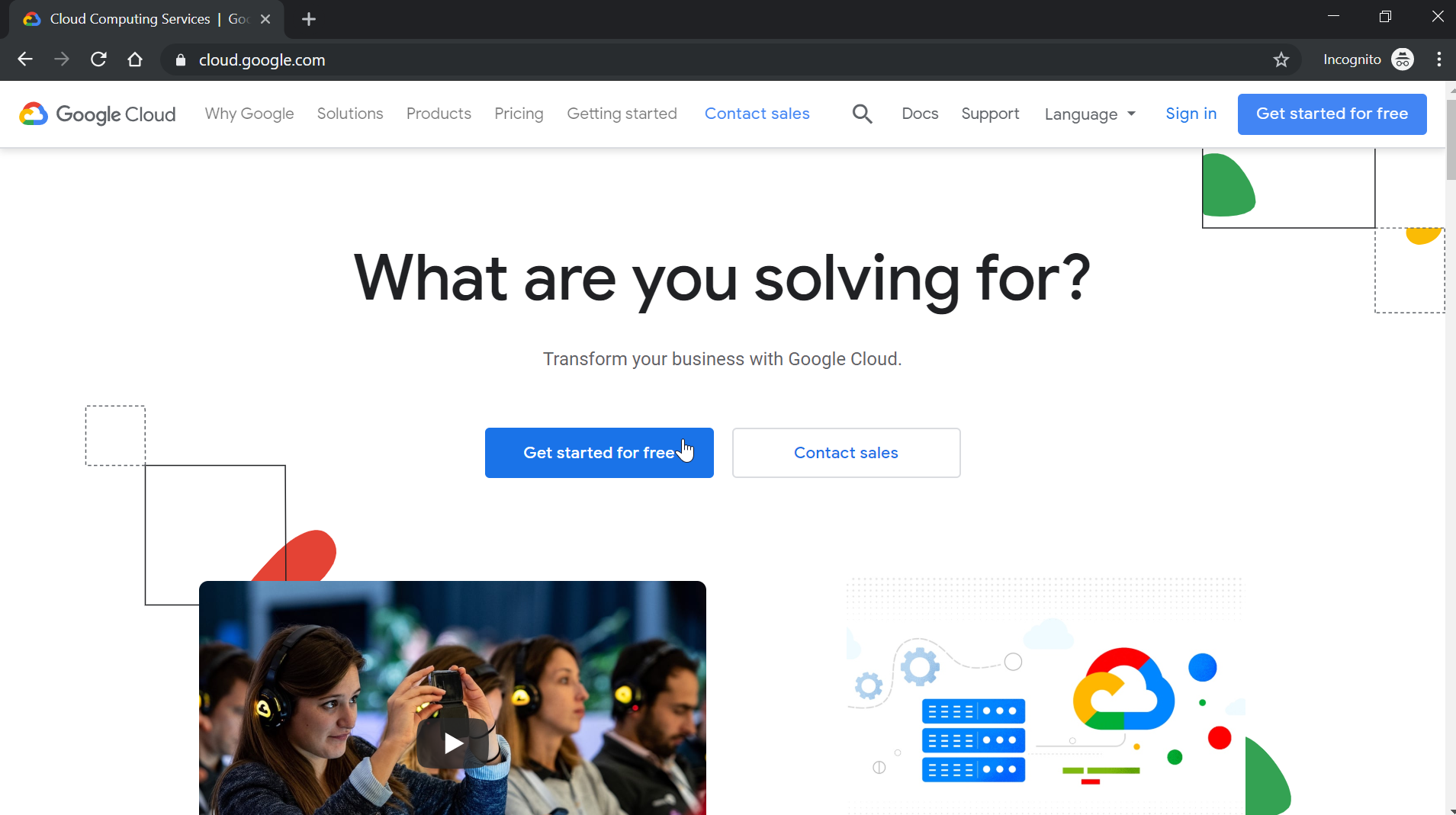
The process of creating a free Google Cloud account is pretty straightforward, and starts by going on the Google Cloud website, and select new account option. After having setup a Google Cloud account, you’ll be able to create service account in Google Cloud .

Check Point: 66% of Information Security Professionals believe that Cloud Protection doesn’t work

Create Google Cloud account
Free Google Drive account with Gsuite
How to create a Google Cloud account? : Selection of personal or business account

Then, different options are proposed to you in order to create your new Google Cloud account, by either logging on Google with an existing account, or by creating a totally new account with an external email – to do so and get your Google Cloud with $300 credit on GCP services and 5GB storage, select the create account option.
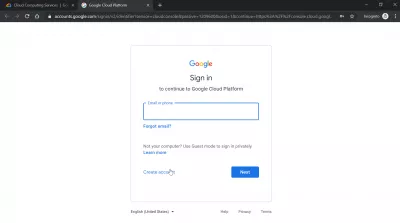
How to create a Google Cloud account? : Create account option to get free storage with an external email addres

Do not enter your email address just yet, but instead select the create account option, and then select the “for myself” option, if you want to create a personal free Google Cloud account with $300 credit on GCP services and 5GB storage, and click next to continue.
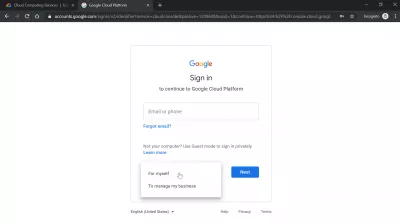
How to create a Google Cloud account? : Creating new personal account

Create Google Cloud account options

Then, in the free Google Cloud account options, click on the “Create a GMail account instead” if necessary, or enter your personal email address to be able to enter an external personal email address to create a Google Cloud account and get the $300 credit on GCP services and 5GB storage simply by registering with your email address.

After having clicked on that button, enter all the required information, including your email address.
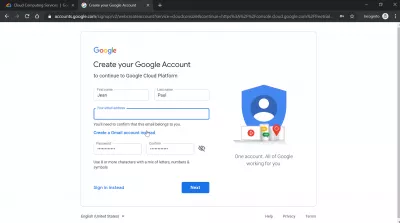
How to create a Google Cloud account? : Use an external email address to create a free Google Cloud account

An email containing a verification code will directly be sent out to your personal email. Open it, and copy the given code in the corresponding box.

” alt=”How to create a Google Cloud account? : Verifying email address” width=”400″ height=”224″ data-ezsrc=”../images/medium/web/create-google-cloud-account/create-google-cloud-account5.png” />
How to create a Google Cloud account? : Verifying email address

After the email has been verified, more personal information will be requested in order to proceed with the account creation.

Give them all, at the exception of the phone number that isn’t required, and click next to proceed with the account creation.

” alt=”How to create a Google Cloud account? : Entering birthdate and gender” width=”400″ height=”224″ data-ezsrc=”../images/medium/web/create-google-cloud-account/create-google-cloud-account6.png” />
How to create a Google Cloud account? : Entering birthdate and gender

Read carefully the privacy and terms conditions, and, if you agree with them, proceed accordingly.

” alt=”How to create a Google Cloud account? : Privacy and terms” width=”400″ height=”224″ data-ezsrc=”../images/medium/web/create-google-cloud-account/create-google-cloud-account7.png” />
How to create a Google Cloud account? : Privacy and terms

Google Cloud business information

You will then be requested to enter your business information, as well as entering a credit card for verification, to ensure that you are not a bot trying to create a free Google Cloud account .

Create Google Cloud account

” alt=”How to create a Google Cloud account? : Last verification step for account creation with $300 credit on GCP services and 5GB storage with new account” width=”400″ height=”224″ data-ezsrc=”../images/medium/web/create-google-cloud-account/create-google-cloud-account9.png” />
How to create a Google Cloud account? : Last verification step for account creation with $300 credit on GCP services and 5GB storage with new account

$300 credit on GCP services and 5GB storage with new account

And that’s all, you are now directly logged in your free Google Cloud account , with a dashboard where you can use your $300 credit on GCP services and 5GB storage that can directly be used to use the Google Cloud services. You can now even create service account in Google Cloud and start using some applications.

To make sure that your transactions are secure, do not hesitate to use an anonymous Internet access through a VPN connection before performing operations with your free Google Cloud account .

” alt=”How to create a Google Cloud account? : Google Cloud dashboard” width=”400″ height=”224″ data-ezsrc=”../images/medium/web/create-google-cloud-account/create-google-cloud-account11.png” />
How to create a Google Cloud account? : Google Cloud dashboard

Google Cloud platform cost

Depending on the application that you will be using, the prices can very widely. See below a few examples of pricing for several applications.

SAP HANA running on Google Cloud platform cost is in total $381 per month, not including any possible license fee for the SAP S4HANA platform use;
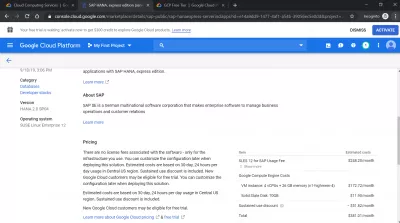
How to create a Google Cloud account? : Google Cloud platform cost of $381 per month for SAP HANA express edition

NVIDIA Quadro Virtual Workstation running on Google Cloud platform cost is in total $1843 per month, and new Google Cloud users might be eligible for a free trial.
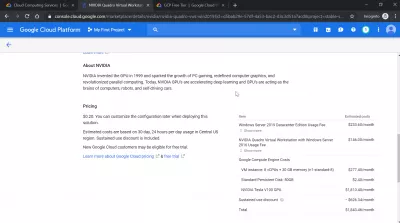
How to create a Google Cloud account? : Google Cloud platform cost of $1843 per month for NVIDIA Quadro Virtual Workstation

VM-Series Next-Generation Firewall running on Google Cloud platform cost is in total $581 per month, and new Google Cloud users can have a 15 days free trial.
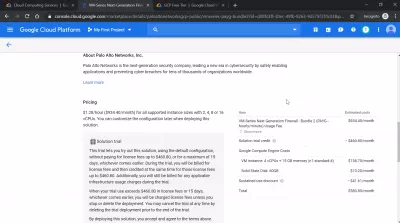
How to create a Google Cloud account? : Google Cloud platform cost of $581 per month for VM-Series Next-Generation Firewall

Google Cloud WordPress cost

WordPress hosting of 10GB storage running on Google Cloud WordPress cost is in total $25 per month, and new Google Cloud users might be eligible for a free trial.
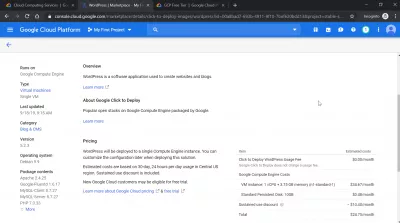
How to create a Google Cloud account? : Google Cloud WordPress cost of $25 per month for WordPress hosting of 10GB storage

  • How to create a Google Drive account and get 15GB Google Drive free storage ?
  • How to create a Google Cloud service account?

Affiliate Disclaimer

Please note that some of the links on our site are affiliate links, which means that if you click on one of the links and purchase an item, we may receive a commission.
JavaScript, DevOps, JAVA, and .NET developers ready to work remotely on your projects immediately!
Trainings and certifications for your IT projects: SAP, office, project management, and more skills

Recent Posts

  • Leveraging Email Marketing to Retain Dropshipping Customers
  • Utilizing Social Media Advertising to Boost Dropshipping Sales
  • Optimizing Your Dropshipping Store for Search Engines (SEO)
  • Managing Cash Flow in a Dropshipping Business
  • Analyzing Your Dropshipping Store’s Performance with Key Metrics

Useful links

Website optimization
Hotel booking

Hotel booking
Hotel booking

Flight, hotel, car comparison and booking

Find local activities

Transfer money
Transfer money

Archives

  • November 2025 (30)
  • October 2025 (6)
  • September 2025 (2)
  • August 2025 (2)
  • April 2025 (1)
  • March 2025 (1)
  • February 2025 (1)
  • September 2024 (1)
  • July 2024 (2)
  • June 2024 (1)
  • April 2024 (1)
  • March 2024 (9)
  • February 2024 (3)
  • October 2023 (1)
  • September 2023 (1)
  • April 2023 (1)
  • March 2021 (1)
  • April 2020 (16)
  • March 2020 (9)
  • February 2020 (20)
  • January 2020 (11)
  • December 2019 (4)
  • November 2019 (20)
  • October 2019 (23)
  • September 2019 (15)
  • August 2019 (5)
  • June 2019 (3)
  • May 2019 (23)
  • April 2019 (17)
  • March 2019 (16)
  • February 2019 (20)
  • January 2019 (16)
  • December 2018 (21)
  • November 2018 (18)
  • October 2018 (2)
  • September 2018 (13)
  • August 2018 (4)
  • July 2018 (2)
  • June 2018 (3)
  • May 2018 (3)
  • April 2018 (1)
  • March 2018 (1)
  • February 2018 (1)
  • January 2018 (2)
  • September 2017 (2)
  • August 2017 (7)
  • July 2017 (10)
  • June 2017 (2)
  • April 2017 (8)
  • March 2017 (7)
  • February 2017 (5)
  • January 2017 (8)
  • December 2016 (26)
  • November 2016 (14)
  • October 2016 (10)
  • September 2016 (8)
  • August 2016 (3)
  • July 2016 (2)
  • June 2016 (1)
  • December 2015 (1)
  • August 2015 (5)
  • July 2015 (1)
  • April 2015 (1)
  • March 2015 (1)
  • October 2013 (1)
  • July 2013 (2)
  • April 2013 (1)
  • November 2012 (1)
  • October 2012 (1)
  • September 2012 (1)
  • April 2012 (1)
  • February 2012 (1)
  • December 2011 (1)
  • August 2011 (2)
  • May 2011 (2)
  • April 2011 (4)
  • March 2011 (1)
Copyright © 2025 YB.Digital. All rights reserved.
Theme: ColorMag by ThemeGrill. Powered by WordPress.