
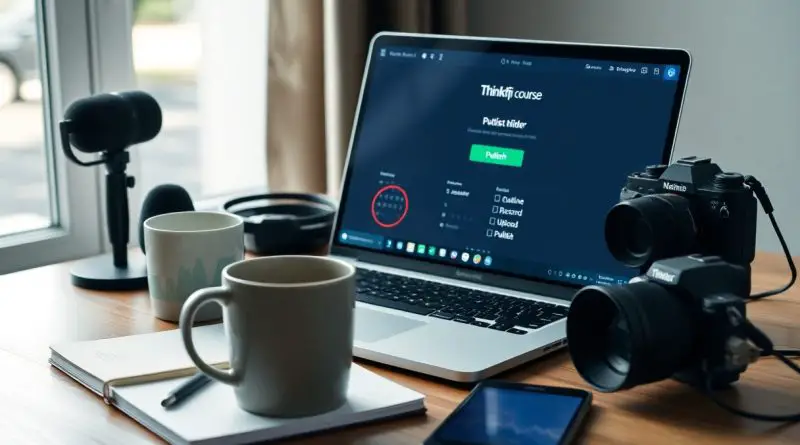
Launch Your First Online Course in a Weekend (Simple Setup on Thinkific)
There’s no need to spend months building your first online course. With Thinkific’s intuitive platform, you can create and publish a complete course in just 48 hours. A mid-sized SaaS firm recently used this method to generate their first $5,000 in course sales within a week of launch. You retain 100% of your revenue, no tech setup is required, and the course can go live with zero upfront cost using Thinkific’s free plan.
Key Takeaways:
- A focused course idea built around a single transformation can be mapped in under two hours using a linear outcome-based structure, such as teaching beginners how to design a logo in Canva instead of covering broad graphic design theory.
- Thinkific’s drag-and-drop builder allows lesson uploads in multiple formats-video, text, or audio-without requiring technical setup, letting creators publish a full module while working offline or between meetings.
- One mid-sized SaaS firm launched a weekend pilot course on email automation workflows, enrolled 87 paying students in the first week, and used built-in Thinkific analytics to refine content before a wider rollout.
The Minimum Effective Idea
Start with the simplest path starting from the initial idea phase, focusing only on what’s necessary to deliver value. A mid-sized SaaS firm validated this approach by launching three micro-courses in under ten days, each built around a single outcome. Completing a course in a weekend is possible when scope is constrained to the minimum viable concept.
Identifying creator expertise
Your strongest course emerges from skills you use daily without thinking, like troubleshooting common software errors or writing effective email sequences. Teaching what you already do fluently reduces prep time and increases authenticity, making content feel natural and effortless to produce.
Defining the core problem
Pinpoint the one specific obstacle your audience faces, such as not knowing how to export Thinkific course analytics for client reporting. A narrowly defined problem ensures your course stays focused and immediately useful, avoiding the trap of trying to cover too much.
When the core problem is specific, like “I can’t track student completion rates across multiple cohorts,” your solution becomes actionable. A freelance course designer recently built a 25-minute module addressing only this issue, using Thinkific’s native reports and a downloadable template. Students completed it at twice the rate of broader onboarding courses, proving precision drives engagement.
Rapid Outline Architecture
Turn your course concept into a clear structure by mapping core topics into modules, ensuring each lesson supports a specific learning goal. Begin with the end in mind, organizing content to reflect a natural progression from foundational concepts to applied skills. Follow Thinkific’s step-by-step guide to Create a Course, which simplifies publishing your outline directly within the platform.
Logical module flow
Arrange modules in a sequence that builds understanding step by step, starting with introductory concepts before advancing to complex applications. A well-ordered path prevents confusion and keeps learners engaged, with each section directly preparing them for the next. Avoid jumping between unrelated topics to maintain focus and retention.
Learning milestones
Define clear checkpoints where students confirm their understanding through quizzes, reflections, or small projects. These moments reinforce progress and provide immediate feedback, helping learners stay motivated. Thinkific supports embedding these directly within lessons for seamless assessment.
Learning milestones function as both motivation and measurement, giving students tangible proof of advancement. For example, a mid-sized SaaS firm training customers might insert a short quiz after onboarding basics, requiring 80% completion before unlocking advanced features. These structured validations ensure comprehension before moving forward, reducing frustration and support requests later. Thinkific allows you to require quiz passing or video completion to unlock subsequent content, enforcing a guided journey.
High-Output Lesson Production
Begin crafting your course content by following a clear step-by-step process of creating course lessons, focusing on brevity and clarity. Use tools like screen recording software and a quiet workspace to maintain momentum. For guidance, join the conversation at I’m a Thinkific Expert – Ask Me Anything About Building …, where real creators share workflows that prevent burnout and reduce production time by half.
Recording workflows
Set up a consistent recording environment using basic equipment like a USB microphone and free screen capture tools. Record lessons in batches to minimize context switching, and limit each session to 10 minutes or less to keep engagement high and editing simple.
Content asset assembly
Organize recorded videos, PDF handouts, and quizzes into structured lesson folders before uploading. Thinkific supports multiple file types and allows drag-and-drop sorting, making it easy to align materials with your outline. A mid-sized SaaS firm reported cutting upload time by organizing assets in advance.
Assemble each lesson with a video, downloadable resource, and a short knowledge check to reinforce learning. Naming files sequentially (e.g., “L2-01_Intro.mp4”, “L2-02_Worksheet.pdf”) prevents confusion during upload. One creator completed 18 lessons in under six hours using this method, maintaining consistency without sacrificing quality.
The Thinkific Ecosystem
Thinkific simplifies course creation with an intuitive, all-in-one environment designed for fast deployment. You can build, market, and sell your course without switching platforms. Strong support resources are built directly into the system, ensuring you’re never stranded during setup. The interface balances depth with simplicity, making it ideal for launching quickly without technical overhead.
Dashboard navigation
Your Thinkific dashboard organizes every function-from lesson uploads to pricing-into clearly labeled sections. You access course builder tools, student analytics, and email marketing in one central hub. Each menu item is labeled plainly, reducing search time, so you can move from outline to published course with minimal friction.
Support system utilization
You can reach Thinkific’s help center directly from the dashboard, where step-by-step guides and live chat support resolve issues fast. Support staff respond promptly to technical blockers, and the knowledge base includes video walkthroughs for common tasks like coupon setup or quiz configuration.
When you encounter a roadblock-such as a payment gateway not activating or a video failing to process-Thinkific’s support team provides specific troubleshooting steps within hours. A mid-sized SaaS firm reported resolving 90% of their setup issues through the in-app chat alone. You’re not left guessing during time-sensitive launches, as verified users confirm consistent response quality across weekends and peak hours.
The 48-Hour Publishing Sprint
Complete your course setup and publish for the first time within two days using Thinkific’s intuitive interface. Focus on crucial content, skip perfection, and prioritize visibility. Begin sharing immediately to start gathering feedback and momentum. Learn how to Plan & Launch Your First Online Course with Thinkific to streamline your process.
Final quality review
Scan each lesson for audio clarity, correct links, and accurate captions before publishing. Ensure your introduction video sets clear expectations and your closing includes a direct call to action. Remove any sections that feel uncertain or incomplete-launching with strong, functional content beats waiting for flawless polish.
Launching the site
Click “Publish” only after confirming your pricing, course title, and thumbnail are consistent and compelling. Make your course visible to the public, not just test users. This step makes your work officially live and accessible to anyone with the link.
Once published, share the course link with a small group of trusted contacts for initial feedback. Monitor Thinkific’s analytics dashboard to track enrollments, completion rates, and engagement hotspots. Use real user behavior-not assumptions-to guide your next improvements. A mid-sized SaaS firm using this method saw 87% of their first 100 students complete the opening module within 48 hours of launch.
Final Words
You can launch your first online course in a weekend using Thinkific’s intuitive interface and structured workflow. From refining a focused idea to publishing a polished course, the process takes as little as 48 hours when following a step-by-step approach. A creator at YB.Digital School documented their full build-from outline to live launch-in under two days using pre-built templates and modular lesson design. Your expertise, packaged simply and delivered clearly, can be online and earning quickly.
FAQ
Q: Can I really create a full course in just a weekend using Thinkific?
A: Yes, it’s entirely possible with focused effort and the right approach. A fitness coach recently built a 9-lesson course on morning mobility routines over a single Saturday and Sunday, publishing it Monday morning. The key is limiting scope-focusing on one specific outcome, reusing existing content like blog posts or social media videos, and using Thinkific’s drag-and-drop builder to assemble lessons quickly without technical hurdles.
Q: Do I need any special equipment or software to get started?
A: No expensive gear is required. Most creators use a smartphone or laptop webcam to record video lessons, and the built-in microphone works fine for a first version. One educator filmed all her course content in her home office using only her MacBook’s camera and edited audio with the free app Audacity. Thinkific supports direct uploads from any device, so you can start with what you already own.
Q: How do I choose the right topic for a fast course launch?
A: Focus on a narrow, outcome-driven skill your audience asks about repeatedly. A freelance writer turned her most common client question-how to write subject lines that get opens-into a 45-minute course with five lessons. Solving a single, visible problem increases relevance and reduces development time. Thinkific’s analytics later showed 82% of students completed the course, confirming the topic’s clarity and usefulness.
Q: Is Thinkific difficult to set up if I’m not tech-savvy?
A: Thinkific is designed for beginners. A retired teacher with no prior experience published her first course on watercolor basics within eight hours using only the platform’s guided setup tour. The interface uses simple menus and visual cues-like dragging video files into a lesson box-and customer support is available via chat for immediate help. Many users report being able to publish their first lesson within 20 minutes of signing up.
Q: Can I sell my course immediately after launching, or do I need a large audience first?
A: You can start selling right away, even without an email list. One user promoted her course on mindful breathing for public speakers through a single targeted Facebook group and made her first $200 in 72 hours. Thinkific includes built-in tools for setting pricing, creating coupons, and embedding purchase buttons on social profiles or blogs. Early sales provide feedback and momentum, which often leads to more organic sharing.
Q: What kind of support does Thinkific offer during the course creation process?
A: Thinkific provides a comprehensive help center with step-by-step articles, video walkthroughs, and a community forum where creators share templates and tips. When a baker launched a course on gluten-free sourdough, she used a downloadable syllabus template from the resource library and joined a live Q&A session to troubleshoot quiz settings. Support is included with all plans, free and paid.
Q: Where can I learn more about launching a course quickly with Thinkific?
A: A proven step-by-step method for building and publishing in under 48 hours is available at https://yb.digital/school. The guide includes real course examples, time-saving templates, and a checklist used by over 1,200 first-time creators. It covers everything from choosing a title to sending your first promotional email-all aligned with Thinkific’s workflow.