
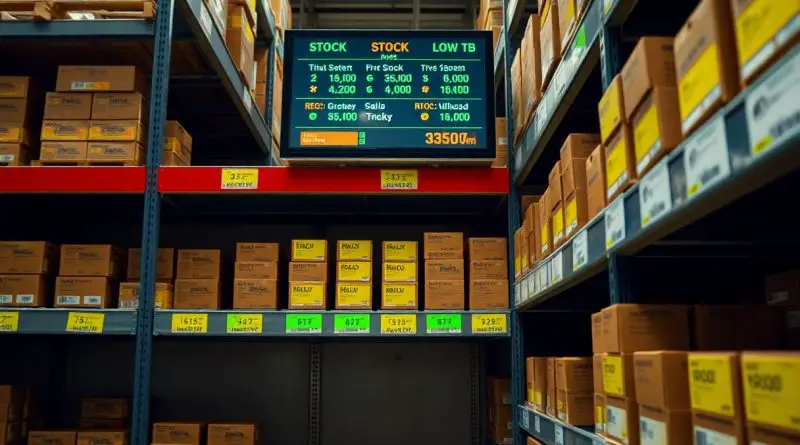
Managing Low Stock and Inventory Alerts
Many businesses face the challenge of managing low stock and inventory alerts effectively. With Spocket’s color-coded system, you can easily monitor your inventory levels: red indicates fewer than 10 items, orange identifies a range of 11-50, and black signifies over 50 items. Staying on top of this can help you avoid the pitfalls of out-of-stock items and ensure optimal product availability. You can also check stock for different product variations, such as sizes, to enhance your customer experience. Learn more about how to Create inventory alerts to streamline this process.

Color-coded inventory levels
Utilizing a color-coded inventory system empowers you to manage stock efficiently. This method allows you to quickly assess your inventory levels at a glance, helping you avoid the pitfalls of stock shortages. Each color corresponds to a different level of stock availability, providing you with immediate visual cues on how to act.
Red indicates low stock
When you see red, it signals that your inventory is critically low, with fewer than 10 items remaining. This alert prompts you to take immediate action, such as restocking, to prevent disappointing your customers or losing potential sales.
Orange indicates moderate stock
Orange indicates that you have a moderate stock level ranging from 11 to 50 items. This status is a gentle warning that, while you are not in immediate danger of running out, it’s wise to keep an eye on these items. You can plan restocking to maintain steady supply and customer satisfaction.
With orange indicating moderate stock, you have a unique opportunity to assess sales trends and customer demand. By paying attention to this level, you can strategically decide when to reorder inventory without risking stockouts. Always check the performance of various product variations, ensuring that you’re not caught off guard by unexpected demand. This proactive approach will help you sustain healthy inventory levels and customer trust.

Checking Stock Variations
When managing your inventory, it’s imperative to check stock variations regularly. Use Spocket’s system to identify stock levels at a glance, where red indicates fewer than 10 items, orange shows 11-50, and black signifies over 50 items. By closely monitoring these levels, you can avoid selling out-of-stock items, enhancing your customer satisfaction. For deeper insights on effective inventory management, check out How Low Stock Alert Apps Drive Efficiency.
Monitor Size Variations
You should actively monitor size variations to ensure you have enough stock for each option. Track the stock levels for different sizes, as customer demand may vary widely. A well-maintained inventory helps you meet customer expectations and boosts sales.
Evaluate Color Options
Evaluating color options is just as important as keeping an eye on sizes. Colors can significantly impact customer interest; therefore, ensure you have a balance of popular colors in stock. Regularly review your inventory to adjust according to trends and seasons.
In evaluating color options, you can identify which colors are more popular with your customers. By maintaining an inventory that reflects these preferences, you can avoid overrunning stock of less desirable colors while ensuring the more popular options are adequately stocked. This balancing act will enhance your sales and promote customer satisfaction by providing them with the choices they want.
Automated Alerts Setup
Setting up automated alerts is important for managing your inventory effectively. You can configure your system to monitor stock levels continuously through alerts that notify you when items reach specific thresholds. Utilizing a color-coded system allows you to quickly identify low stock items — red for under 10, orange for 11-50, and black for over 50 units. This feature ensures that you never miss a restock opportunity and helps maintain a smooth flow of products for your customers.
Enable Notifications for Restocks
To ensure you stay informed, enable notifications for restocks in your inventory management system. This automates the alert process, allowing you to react promptly when specific products are back in stock. By using instant notifications, you can take timely action to order or promote these items, thereby optimizing your inventory turnover and enhancing customer satisfaction.
Customize Alert Thresholds
Customizing alert thresholds allows you to tailor notifications based on your business needs and product demand. You can set distinct levels for alerts, making sure you’re notified at the right time for each product category. This proactive approach helps you prevent stockouts and manage inventory more effectively.
By adjusting your alert thresholds, you can ensure that your notifications align with your sales patterns. Setting higher thresholds for slower-moving items or lower ones for best-sellers allows you to stay agile and responsive. For instance, if a product typically sells fast, you might want notifications when stock drops to 20 units, while less popular items can have a threshold of 50. This personalization allows for better inventory management, reducing missed sales opportunities and maximizing your operational efficiency.

Inventory Management Best Practices
To optimize your inventory management, implement best practices that ensure you never run out of stock. Start by routinely monitoring your inventory levels and using a color-coded system—red for under 10 items, orange for 11-50, and black for over 50. This visual aid helps you easily identify potential stockouts and make informed decisions about reordering.
Regular Stock Audits
Conducting regular stock audits is imperative to maintaining accurate inventory levels. By checking physical stock against your records, you can identify discrepancies and address potential issues before they escalate. Create a schedule for audits to ensure they become a routine part of your inventory management process.
Track Supplier Reliability
Tracking supplier reliability helps you assess their performance and ensure you receive inventory on time. Monitor lead times, order accuracy, and quality of products. This information is vital for maintaining smooth operations and minimizing stockouts.
To effectively track supplier reliability, regularly evaluate key metrics such as delivery times and order completeness. Set clear expectations with your suppliers and maintain open communication. If you notice patterns of delayed shipments or errors in orders, consider diversifying your supplier base to mitigate risks. A reliable supplier can enhance your inventory management, helping you maintain optimal stock levels and meet customer demand efficiently.
Final Words
Drawing together effective inventory management strategies enhances your ability to respond to stock levels in real-time. By utilizing Spocket’s color-coded system—where red indicates fewer than 10 items, orange signals 11 to 50, and black denotes over 50—you can quickly assess stock availability. This system helps you avoid selling out-of-stock items, ensuring your customers have a seamless shopping experience. Additionally, checking stock for different product variations, such as sizes, enables you to maintain optimal inventory and fulfill demand efficiently.
FAQ
Q: How does Spocket indicate low stock levels for products?
A: Spocket uses a color-coded system to indicate inventory levels. Items with stock levels under 10 are marked in red, indicating a low quantity. Orange is used for items with stock levels between 11 and 50, signaling that restocking may be necessary. Items with more than 50 in stock are indicated in black, showing that inventory is healthy.
Q: How can I check the stock levels of product variations, such as sizes or colors?
A: To check stock levels for different product variations, go to the product details page in your Spocket dashboard. Each variation will display its individual inventory level, allowing you to see how many items are available for each size or color option.
Q: How can I set up alerts for low stock items in my inventory?
A: You can set up alerts within the Spocket dashboard by navigating to your inventory settings. From there, you can choose thresholds for notifications, such as when stock levels fall below a specific number, ensuring you are always informed when it’s time to reorder.
Q: What should I do when I receive a low stock alert?
A: When you receive a low stock alert, assess the item’s sales trends to determine whether to restock. If the item is selling well, consider placing an order to replenish inventory. If sales are declining, you may choose not to restock.
Q: Is there a way to filter products based on their stock levels in Spocket?
A: Yes, Spocket provides filtering options in the product catalog. You can sort or filter products based on their stock levels, making it easier to manage inventory and quickly identify items that need attention.